

Exercise ladders for kids: squats, push-ups, skipping rope and pull-ups
The short answer
Brainimo's sports ladders are real exercise for kids, done away from the screen with a grown-up nearby. There are four ladders: squats, push-ups, skipping rope and pull-ups. Each has 6 to 8 small steps for three age groups: 4 to 6, 7 to 8 and 9 to 11. A parent checks each step, and approved steps earn stars.






How does a sports ladder work?
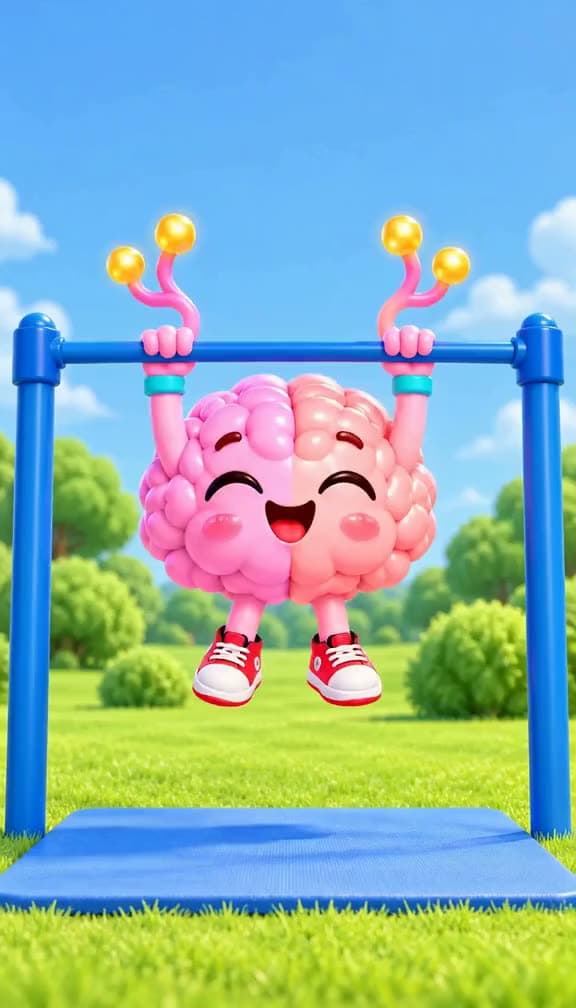
Each step of a ladder is one small exercise goal, like 5 wall push-ups or a 10-second hang. The step shows a short looping clip of your child's brain pet doing the exact movement, with the count shown on the clip, plus three how-to lines a grown-up reads out loud and a safety line. A timer or a counter helps along the way. When it is done, your child taps "I did it!" and waits for you. You approve it and the stars land, or you send it back to try again.
How many push-ups should a 10-year-old do?
Brainimo does not give one number; it gives a ladder to climb. For ages 9 to 11, the push-up ladder goes: 10 knee push-ups, a 30-second plank, 10 sofa push-ups, then 3, 5, 10 and 15 real push-ups. Ages 7 to 8 start with 10 wall push-ups and work up to 5 real ones. Ages 4 to 6 stay with wall push-ups, short planks and knee push-ups. These are the steps of our ladder, not fitness norms or medical advice.
What does the pull-up ladder look like for kids?
The pull-up ladder builds grip and strength before any real pull-up. Ages 4 to 6 only hang and swing: hangs of 5 to 20 seconds, monkey swings and a knees-up hang. Ages 7 to 8 add a chin-over-the-bar hold, 3 slow lowerings and 3 helped pull-ups before their first real pull-up and then 3 in a row. Ages 9 to 11 continue up to 8 pull-ups in a row. The safety line says a grown-up stays next to the bar, with soft ground underneath.
In what order do the sports ladders open?
The ladders open in order, starting with the ones that need no equipment. Sports level 1 opens squats, level 2 adds push-ups, level 3 adds skipping rope and level 4 adds pull-ups. Finishing a whole ladder also opens the next one. If your child is already active, a short level check with 8 yes-or-no questions, like "5 wall push-ups: can you do it?", can open more ladders at once.
How do exercise stars turn into real rewards?
Games, chores and real rewards all run on the same stars. Each sports step pays 5 to 15 stars, rising along the ladder, and the stars arrive only when you approve the step. Exercise stars sit outside the daily limit on game stars, so a busy active day still counts in full. Your child spends the stars at the Prize Counter on rewards you chose, and you approve each one.
How it works
- Your child picks an open ladder and watches the brain pet do the next step.
- They do the exercise with a grown-up nearby, using the timer or counter.
- They tap "I did it!" and the step waits for you.
- You approve it in the parent area and 5 to 15 stars land.
- Stars go toward a reward you set at the Prize Counter.
What you control as a parent
- You approve each exercise step, or send it back to try again.
- You can run a level check together to open the right ladders for your child.
- Approved exercise stars are not counted against the daily limit on game stars.
- Each child's age group, set from their birth year, picks which version of each ladder they see.
Questions parents ask
Is the sports ladder safe for kids?
Every ladder has its own safety line, and the steps are written to be done with a grown-up close by. For example: "Do these on a mat or a carpet. Stop if your wrists or back hurt." It is not medical advice; check with your doctor if you have concerns.
Does my child need equipment?
Squats need only a non-slippery floor, and push-ups a mat or carpet (sofa push-ups use a sofa). Skipping needs a rope and sneakers. Pull-ups need a bar, so they open last.
How does Brainimo know my child really did the exercise?
It doesn't check it itself. You do: every step waits for a grown-up's approval before it pays any stars.
Try it with your family
Make a family account, add your kids, pick a few rewards, and let them play.
Create a family account